4. Your Customer Engagement Campaign
This page provides a complete snapshot of your campaign’s performance and configuration.
Summary
You’ll see:
- Campaign Name
- Created Date
- Time‑Bound (Yes/No)
- Start/End Dates (if applicable)
- Status (Active / Paused)
- Target URL (UTM URL)
- Tracking URL (encoded, shortened Xathari tracking URL)
- Total Scans
- Unique Scans
- Top Devices
- Top Cities
- Top Regions
- Top Countries
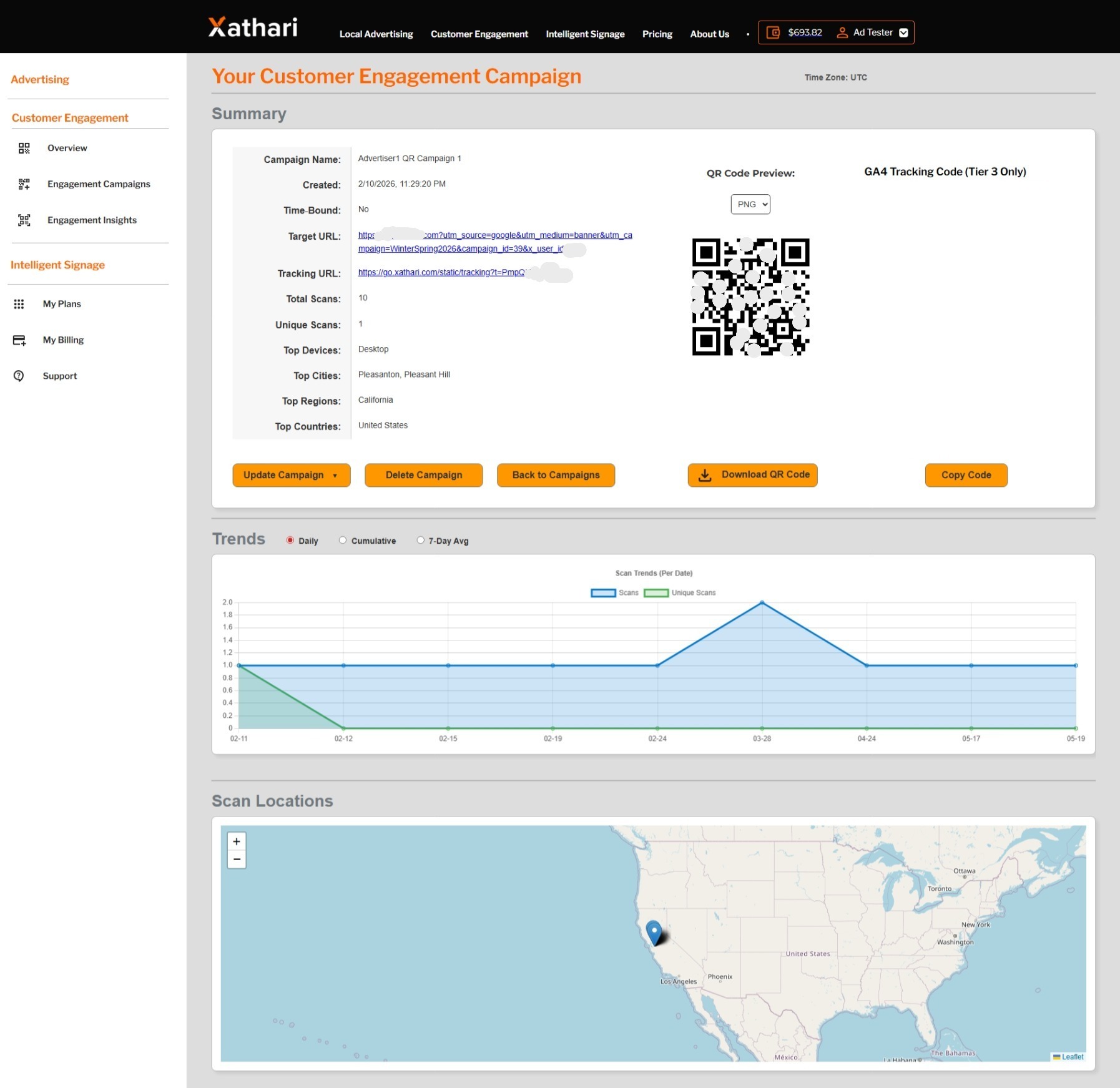
** Demonstration data. The information shown in the example above uses sample content for illustrative purposes only. Actual data, features, and screen layouts may vary based on your subscription tier and account permissions. **
QR Code Preview
A downloadable QR code image for printing or digital use.
GA4 Integration (Premium Tier Only)
Premium users can enable enhanced GA4 tracking for deeper engagement insights. A “Copy gtag Code” button appears for eligible accounts.
Trends
A chart showing:
- Scans
- Unique Scans
Users can toggle:
- Daily
- Cumulative
- 7‑Day Average
Scan Locations
A map showing where scans occurred, with zoom and device‑type details.
Actions
- Update Campaign
- Delete Campaign
- Back to Campaigns
- Download QR Code
- Copy gtag Code (Premium Tier)