2. Navigating to Customer Engagement
Once logged into your Xathari account, the Customer Engagement Platform (CEP) is available directly from the main dashboard.
How to Access
- Sign in to your Xathari account.
- From the left sidebar, click Customer Engagement.
- You’ll see three sections:
- Overview
- Engagement Campaigns
- Engagement Insights (tier‑dependent)
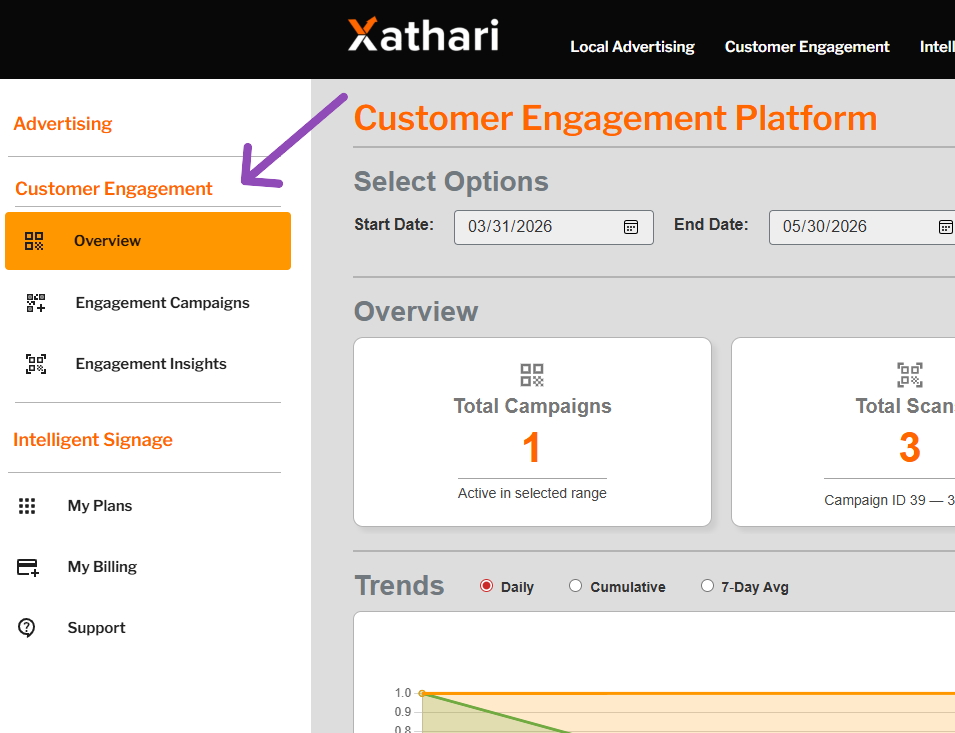
** Demonstration data. The information shown in the example above uses sample content for illustrative purposes only. Actual data, features, and screen layouts may vary based on your subscription tier and account permissions. **
If this is your first time using CEP, you may be prompted to complete the initial setup (business details, payment method, etc.).