5. Editing & Managing Campaigns
Campaigns can be updated at any time, with some restrictions for time‑bound campaigns.
How to Edit
- Go to Customer Engagement → Engagement Campaigns
- Click View Campaign
- Click Update Campaign
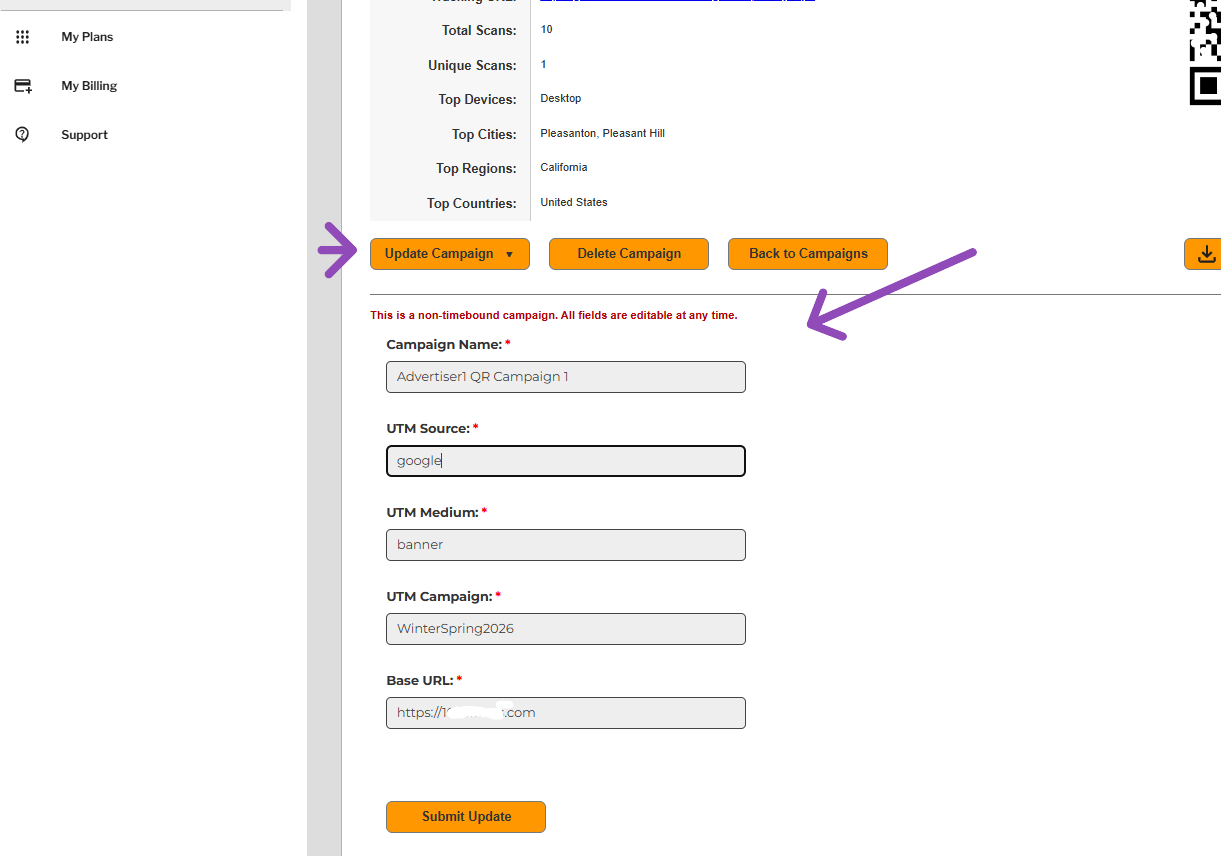
** Demonstration data. The information shown in the example above uses sample content for illustrative purposes only. Actual data, features, and screen layouts may vary based on your subscription tier and account permissions. **
Editable Fields (Non‑Time‑Bound Campaigns)
All fields are editable:
- Campaign Name
- UTM Source
- UTM Medium
- UTM Campaign
- Base URL
Editable Fields (Time‑Bound Campaigns)
- Campaign Name
- UTM Source
- UTM Medium
- UTM Campaign
- Base URL
- End Date
Non‑Editable Field
- Start Date (locked once created)
Click Submit Update to save changes.